
Technical articles and case studies
Yaesu VX-8DR frequency expansion procedure
Step-by-step menu procedure for expanding the transmit frequency range on a Yaesu VX-8DR handheld radio, including CWID entry of code AH029M and the HM/RV + MENU power-on sequence.
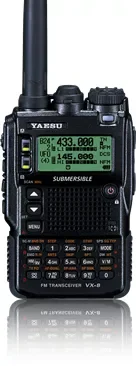
Follow the keypad sequence below to perform software frequency expansion on the Yaesu VX-8DR.
Expansion steps
- Power on the radio.
- Press and hold the SET key for 1 second to enter SET mode.
- Select menu item #21 CWID.
- Rotate the DIAL knob to set CWID to (ON).
- Press the MODE key.
- Rotate the DIAL knob to select A, then press the MODE key.
- Rotate the DIAL knob to select H, then press the MODE key.
- Repeat steps 6–7 until you have entered AH029M, followed by two spaces.
- Press the SET key to exit SET mode.
- Power off the radio.
- Press and hold the HM/RV + MENU keys simultaneously while powering on the radio.
- Rotate the DIAL knob and use the MODE key to select three asterisks:
***. - Press the F key.
- Power off the radio.
- Power on the radio again to complete the procedure.
Result
Once completed, the radio supports extended transmit coverage, including full-band transmission across the 400 MHz band.